
Sensors
Settings — Sensors
The Sensors settings section configures the behaviour of each connected sensor. Navigate to Settings → Sensors to open it.
It is divided into four tabs: Gamma, Spectral, GPS, and PTH.
Gamma
The Gamma tab configures the hardware settings of the gamma spectrometer.
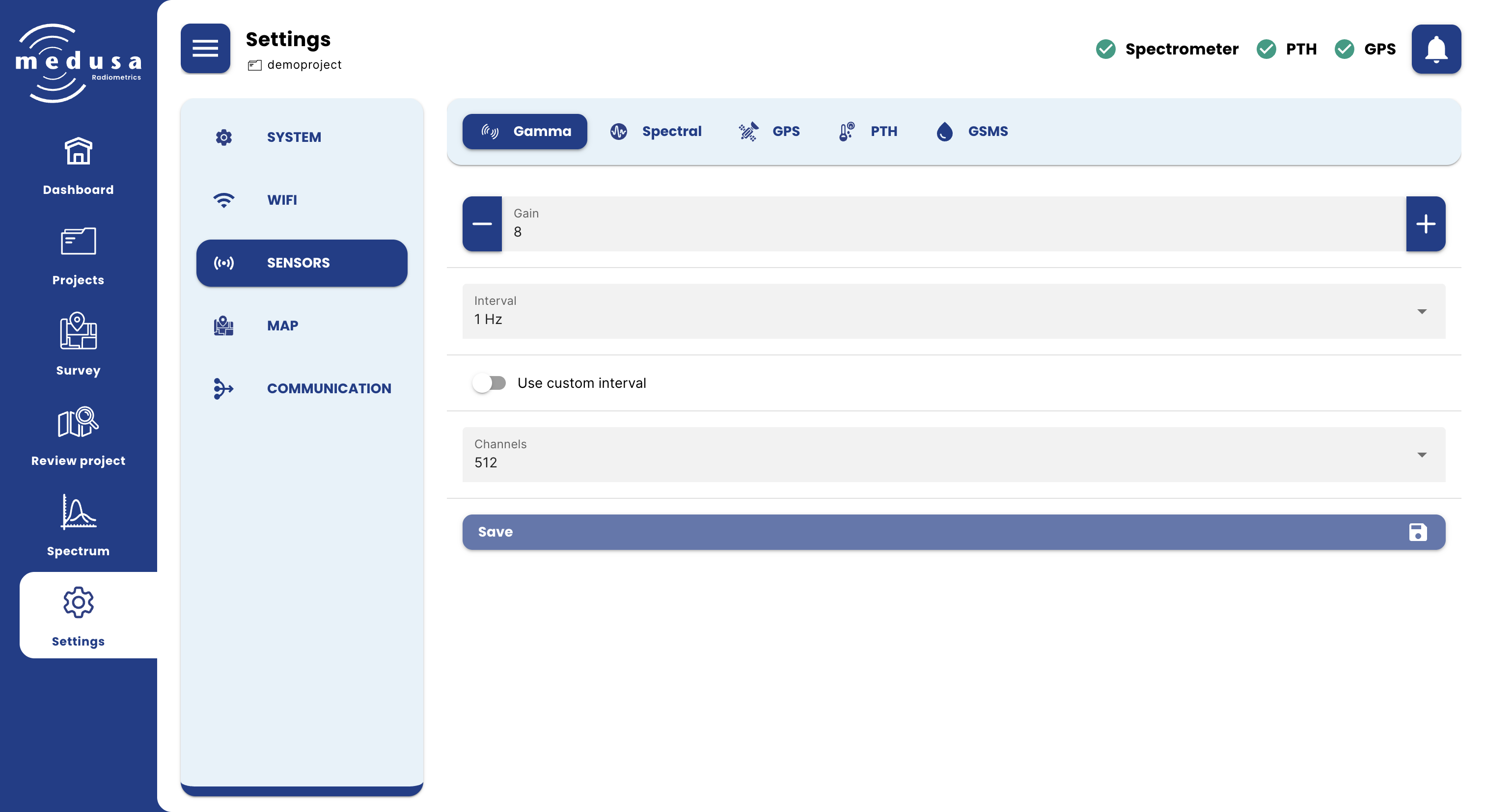
Setting | Description |
|---|---|
Gain | (Only visible for systems that use silicon photomultiplier) |
High voltage | (Only visible for systems that use photmultiplier tubes (PMT)) |
Interval | How often the spectrometer measures a spectrum. Options: 5 Hz, 2 Hz, 1 Hz, 0.5 Hz, 0.1 Hz. |
Use custom interval | When enabled, a custom measurement interval can be entered in milliseconds (200–300,000 ms). |
Channels | The number of channels in the measured spectrum. Options: 256, 512, 1024, 2048. Default is 512. |

Warning: The gamma spectrometer is carefully calibrated before leaving the Medusa office. Only change these settings if you have a specific reason to do so. Incorrect gain settings can result in poor or incomplete spectra.

Note: Short measurement intervals fill storage much faster. For most surveys, 1 Hz is sufficient.
Click Save to apply changes.
Spectral
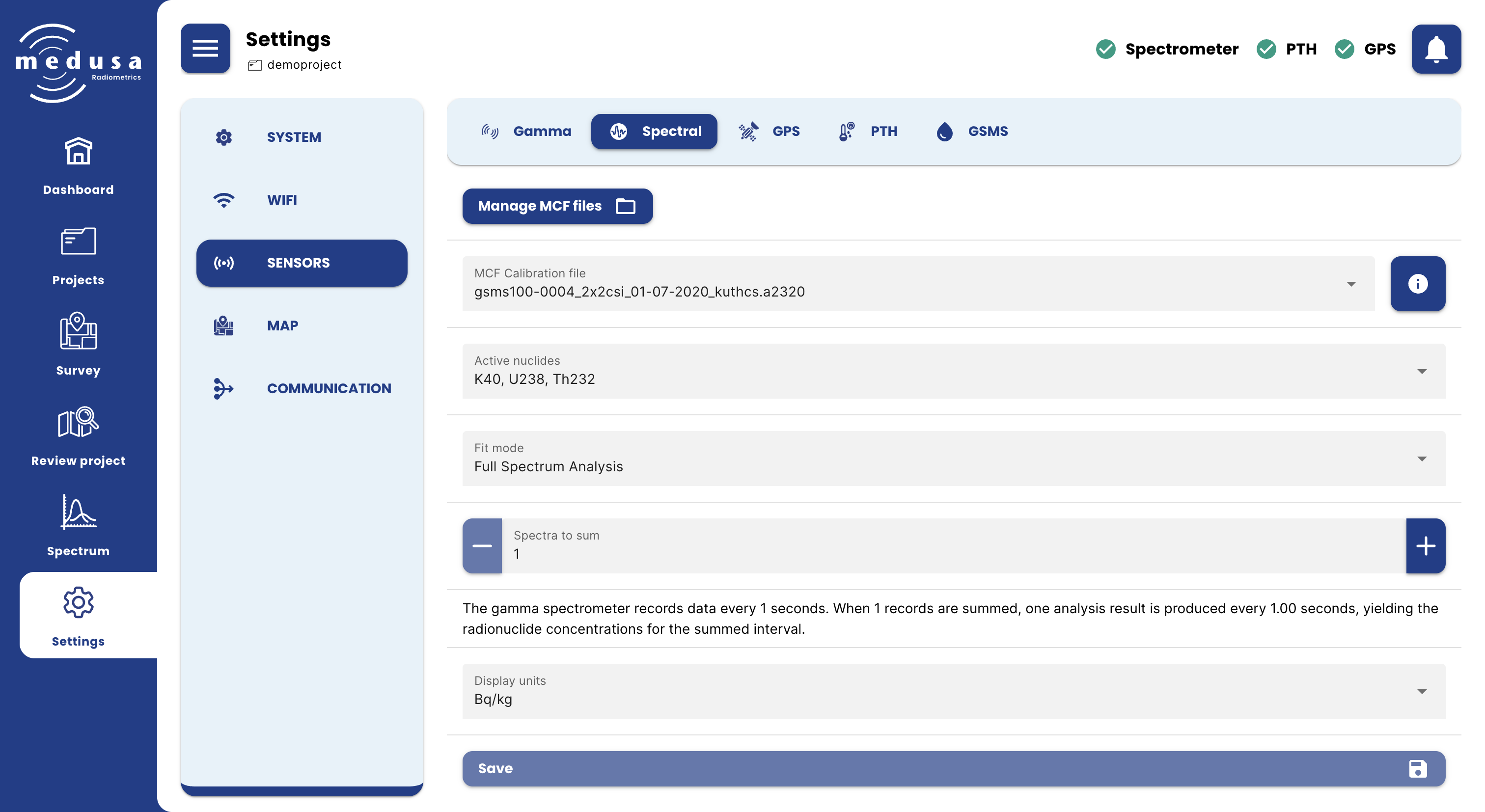
The Spectral tab configures how spectrometer data is processed and which calibration files are used.
Managing MCF Files
Click Manage MCF files to open a dialog for uploading or deleting MCF files stored on the detector. The maximum file size for uploading is 1 MB. Deleting an MCF file cannot be undone.
MCF Stabilization and Calibration Files
Setting | Description |
|---|---|
MCF Stabilization file | The MCF file used for energy stabilization. Click the [ICON: info] button to view its contents. |
MCF Calibration file | The MCF file used for spectral analysis and calculating radionuclide concentrations. Click the [ICON: info] button to view its contents. |
MCF files are detector-specific and cannot be used on a different sensor. See Viewing the Spectrum — The Calibration File for a description of the MCF contents viewer.
Active Nuclides
Selects which nuclides are included in the spectral analysis. The available nuclides depend on the active MCF Calibration file. Active nuclides determine which concentrations are shown on the Spectrum page, included in sample measurements, and written to the Concentrations CSV on download.
Fit Mode
Mode | Description |
|---|---|
Full Spectrum Analysis (FSA) | Fits standard spectra to the measured data. Default mode. |
NNLS Full Spectrum Analysis | Same as FSA, but only includes standard spectra that result in a positive concentration. Useful when negative concentrations are undesirable — see Troubleshooting. |
Windows Analysis | Uses fixed energy windows to determine concentrations. |
Spectra to Sum
The number of spectra accumulated before one analysis result is calculated. Increasing this value reduces uncertainty in individual data points but coarsens the spatial resolution of the measurement — each data point then represents a longer time interval.
Note: The number of spectra to sum is independent of the gamma-ray measurement interval. If the measurement interval is changed, review the spectra-to-sum setting to maintain the desired output frequency of analyzed records.
Display Units
The unit used to display radionuclide concentrations in the interface.
Unit | Notes |
|---|---|
Bq/kg | SI unit for activity concentration |
ppm | Parts per million. Conversions: 1% ⁴⁰K = 313 Bq/kg; 1 ppm ²³⁸U = 12.4 Bq/kg; 1 ppm ²³²Th = 4.1 Bq/kg |
ppm of oxides | As above, expressed as oxide equivalents |
Note: Display units only affect what is shown in the interface. Data stored on the detector is always in Bq/kg.
Click Save to apply changes.
GPS
The GPS tab configures the GPS sensor.
Setting | Description |
|---|---|
Enable GPS | Enables or disables the GPS sensor. |
GPS Interval | How often the GPS records a position. Options: 2 Hz, 1 Hz, 0.50 Hz, 0.25 Hz, 0.10 Hz. |
Click Save to apply changes.
PTH
The PTH tab configures the pressure, temperature, and humidity sensor.
Setting | Description |
|---|---|
Enable PTH | Enables or disables the PTH sensor. |
PTH Interval | How often the PTH sensor records a measurement. Options: 2 Hz, 1 Hz, 0.50 Hz, 0.25 Hz, 0.10 Hz. |
Click Save to apply changes.