

Appearance
Settings — Communication
The Communication settings section configures how the detector sends and receives data over RS-232 and the network. Navigate to Settings → Communication to open it.
It is divided into three tabs: RS232, Network stream, and NTRIP.
RS232
The RS-232 tab configures the serial communication port. The port can be used as an output (sending sensor data to an external system), as an input (receiving data or corrections from an external device), or both simultaneously.
Note: If the detector housing does not have a dedicated RS-232 port, the data lines are embedded in the main connector. A specific cable or adapter may be required to access them.
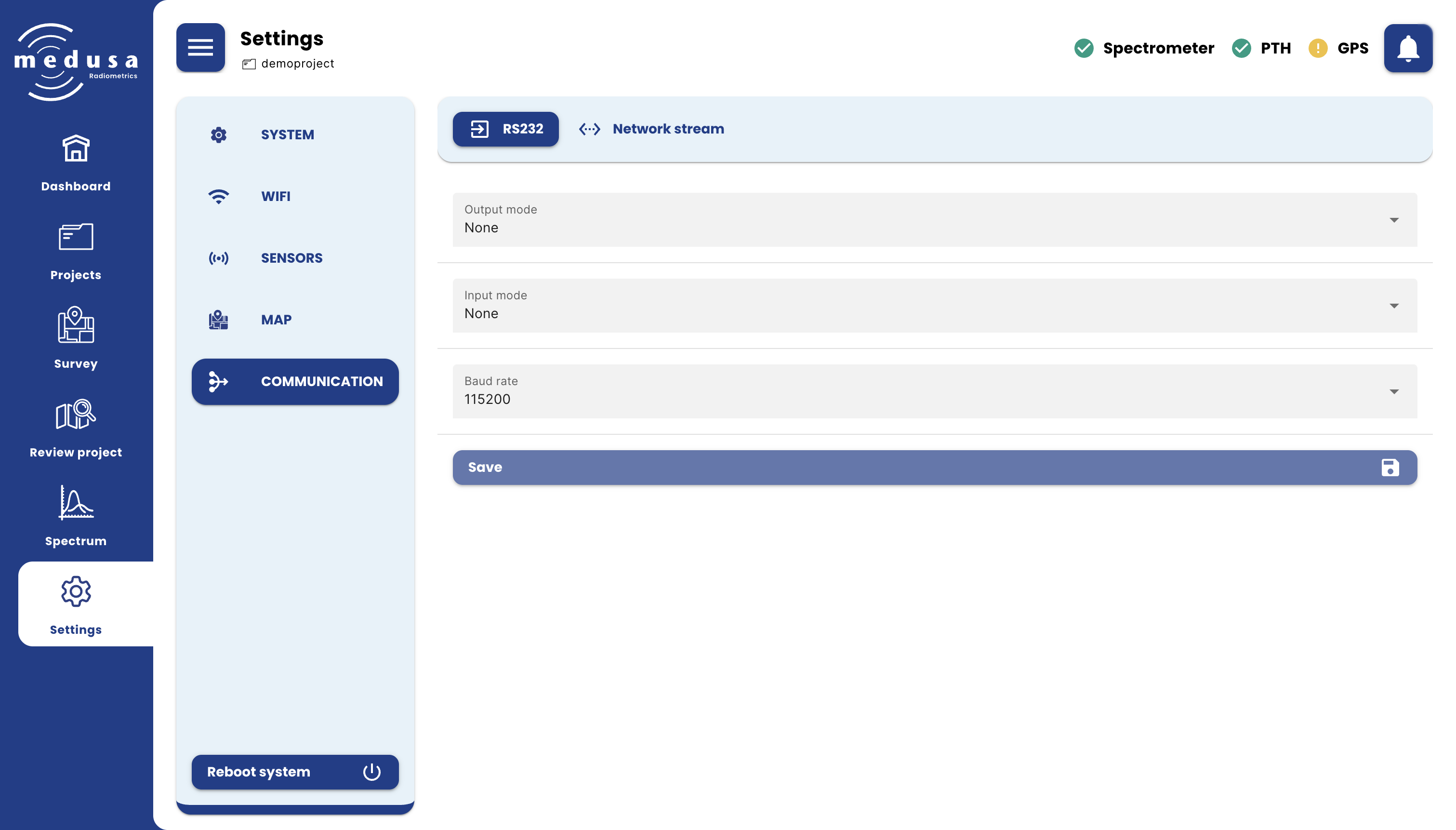
| Setting | Description |
|---|---|
| Output mode | Determines what data is sent over RS-232 |
| Input mode | Determines what data is received over RS-232 |
| Baud rate | The baud rate of the RS-232 connection. Options: 4800, 9600, 38400, 57600, 115200. |
Click Save to apply changes.
Output Modes
| Mode | Description |
|---|---|
| None | No data is sent over RS-232 |
| Stream data | Streams all sensor data in JSON format — see JSON Format |
| Medusa NMEA strings | Sends sensor data using the Medusa NMEA protocol — see NMEA Output |
| GPS and total counts string | Sends one line per measurement in the format: #Sensordata,<Unix-Timestamp>,<Lat>,<Lon>,<Total-Counts> |
| Count rate only | Sends only the total count value as a single number |
| Dose rate (nGy/hr) | Sends only the dose rate in nGy/hr derived from the stabilized spectrum |
When Stream data is selected, an additional option appears:
| Setting | Description |
|---|---|
| Included data | Selects which data types are included in the JSON stream. Each can be toggled individually: GPS data, Raw spectral data, Stabilized spectral data, PTH data, Synchronized data. |
When Medusa NMEA strings is selected, two additional options appear:
| Setting | Description |
|---|---|
| Channels to sum | The number of spectrum channels to combine into a single output channel. Options: 1, 2, 4, 8, 16, 32, 64, 128. For example, combining 8 channels of a 512-channel spectrum produces 64 output channels, reducing the length of the $MSSPE sentence. This only affects the NMEA output — the full-resolution spectrum is always stored onboard. |
| Included data | Selects which data types are included in the NMEA output. Each can be toggled individually: Raw spectral data, Stabilized spectral data, GPS data, PTH data. |
Input Modes
| Mode | Description |
|---|---|
| None | No data is received over RS-232 |
| RTCM GPS corrections | Receives RTCM correction data and forwards it to the GPS module to enable RTK centimetre-level positioning |
| NMEA strings | Listens for NMEA GGA, ZDA, RMC, and RMZ messages and parses them for position and optionally height. Positions are stored as GPS data in the project. When NMEA contains RMZ messages (height) is enabled, PGRMZ altitude messages are also parsed and shown as an Altitude sensor on the Dashboard. |
| CSV formatted data | A CSV array received over RS-232 is stored as an external data entry in the project |
| JSON formatted data | A JSON string received over RS-232 is stored as an external data entry in the project |
| Text data | Text received over RS-232 is stored as an external data entry in the project |
| Lidar | Interfaces with the Medusa lidar sensor to record height measurements. When active, an Altitude sensor appears on the Dashboard showing the incoming height data. When Lidar is selected as the input mode, the output mode is disabled — the two cannot be used simultaneously. |
Network Stream
The Network stream tab configures a UDP data stream sent over the network. This is useful for real-time integration with a ground station or external logging software on the same network.
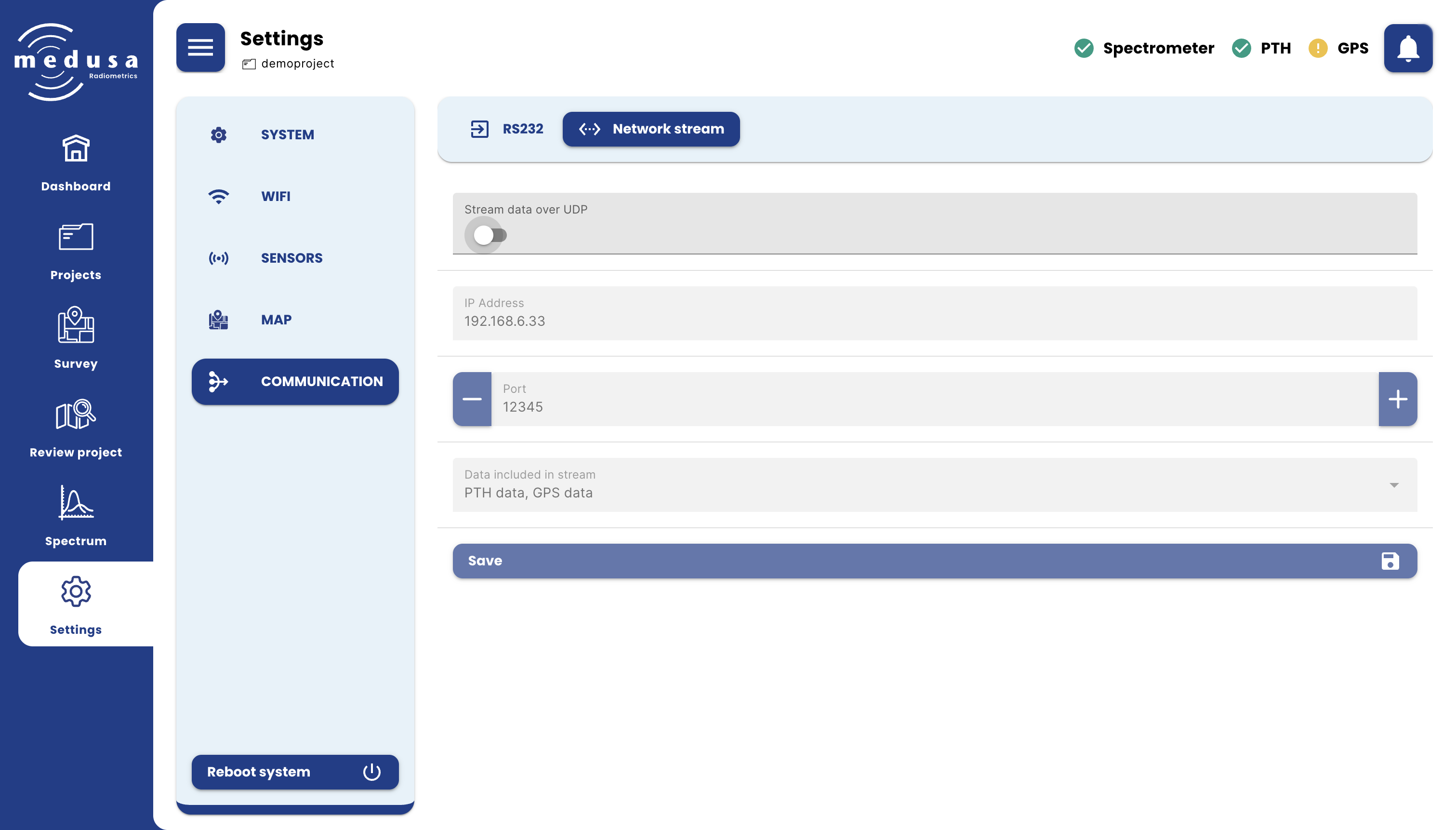
| Setting | Description |
|---|---|
| Stream data over UDP | Enables or disables the UDP data stream |
| IP address | The IP address of the device that should receive the stream |
| Port | The UDP port on the receiving device |
| Data included in stream | Selects which data types are included: Synchronized data, Raw spectral data, Stabilized spectral data, GPS data, PTH data. Each can be toggled individually. |
Click Save to apply changes.